Custom software, automation, and AI built around your business.

We build custom platforms, automate repetitive work, connect your tools, and create websites that support your sales process.

Built for real work.

View all projects

Start with the workflow. Define a focused first release. Agree on scope, ownership, and ongoing costs before development. How we work

What we can build together.

Custom software
& platforms.

Software shaped around your operations—bringing your team, customers, and information together where existing tools fall short.

A CUSTOMER WORKFLOW

One request.
One shared view.

Bring the request, the person responsible, and the next step into the same application.

  1. 01 · ReceiveCapture the request and its details.
  2. 02 · OrganizeAssign an owner and agree on the work.
  3. 03 · CompleteKeep progress and notes together.
  4. 04 · UpdateShare the outcome with the customer.
ILLUSTRATIVE REQUEST / 024In progress
Customer request
Alex Morgan“I’d like to discuss a project.”
Owner
Jamie · Your team
Details
Request and project notes in one place
Next step
Confirm the scope with Alex

Your business has
its own way of working.

You might be coordinating appointments, tracking orders, preparing estimates, or giving customers access to their information. The work changes. The starting point is always understanding how your business runs.

We look at who does what, where information gets lost, and what takes more effort than it should. Then we design and build the tools around that process—from a focused internal application to a platform connecting your team and customers.

You don’t need a software specification to start. Show us where work slows down. We’ll help define a focused first version and what can follow later.

Explore custom software
Workflow automation
& AI.

Automate repetitive steps and bring useful context together, with AI where it helps and your team in control.

ONE REQUEST. A CLEARER NEXT STEP.Illustrative workflow
01 / THE REQUEST
Alex · Northside Office

“Could someone visit next week? The issue is happening again.”

A starting point. Details still to clarify.
02 / CONNECTED RECORDS
CUSTOMER RECORDMorning visits preferredNorthside Office
PREVIOUS VISITJamie knows the siteVisit notes · Sep 16
TEAM CALENDARTuesday, 10:00Jamie is available
03 / SUGGESTED VISIT
Jamie
Tuesday, 10:00.
Knows the siteAvailable morning slot
Your team reviews.Confirm the issue and timing with Alex.
Nothing booked. Human approval required.

The right tool
for the task.

We start with the task, the time it takes, and the exceptions your team handles. Then we decide what to automate—and whether AI belongs in the solution.

Here, the agent brings together customer history, previous work, and team availability to prepare a proposal. Your team checks the assumptions and agrees on the visit. We define which sources the agent can access, what it may do, and where approval is required.

Explore workflow automation

Integrations &
connected systems.

Connect your CRM, scheduling, billing, and internal tools so updates reach the right systems with less manual copying.

ONE UPDATE, CONNECTED TOOLS

Your order moves.
Your customer stays informed.

When the carrier collects an order, the same event updates your customer records and prepares a tracking notification.

Illustrative workflow. No messages are sent.
CARRIER / SOURCE EVENTParcel collected.Order #1048 · Tracking available
CUSTOMER RECORDS / CRMIn transitOrder #1048 carries the same status.
CUSTOMER NOTIFICATIONTracking updateYour customer receives the tracking details.

Your tools.
More connected.

An order update is one example. A booking can update your customer records. An approved quote can start an invoice. Information from different tools can come together in one report.

We look at where your team copies information, switches systems, or waits for an update—and connect the tools around the way you work.

Bookings, customer records, invoices, and reports connected through one continuous flow. BookingsCustomer records InvoicesReports Different tools. A shared flow.

Websites &
digital experiences.

A website that supports your sales process—making your offer clear, showing relevant work, and helping the right clients get in touch.

What should your website do for you? Choose a goal.

Make the next step obvious. Give visitors the confidence—and a clear way—to get in touch.

START WITH A CLEAR NEXT STEPHave a project
in mind?
Tell us what you need. We’ll take it from there.
OUR WORK / 01—04

Selected work.

From business needs to working software and websites.

01 / CUSTOM SOFTWARE

IMS.

IMS dashboard for assigning and scheduling inspections. IMS mobile app recording energy inspection results in the field.
At the desk. In the field.

Scheduling, field evidence, and signed reports connected across office and field teams at TechToYou LLC.

Connected scheduling, fieldwork & reportingView project
02 / AI + WORKFLOW AUTOMATION

FL Pool
Builder.

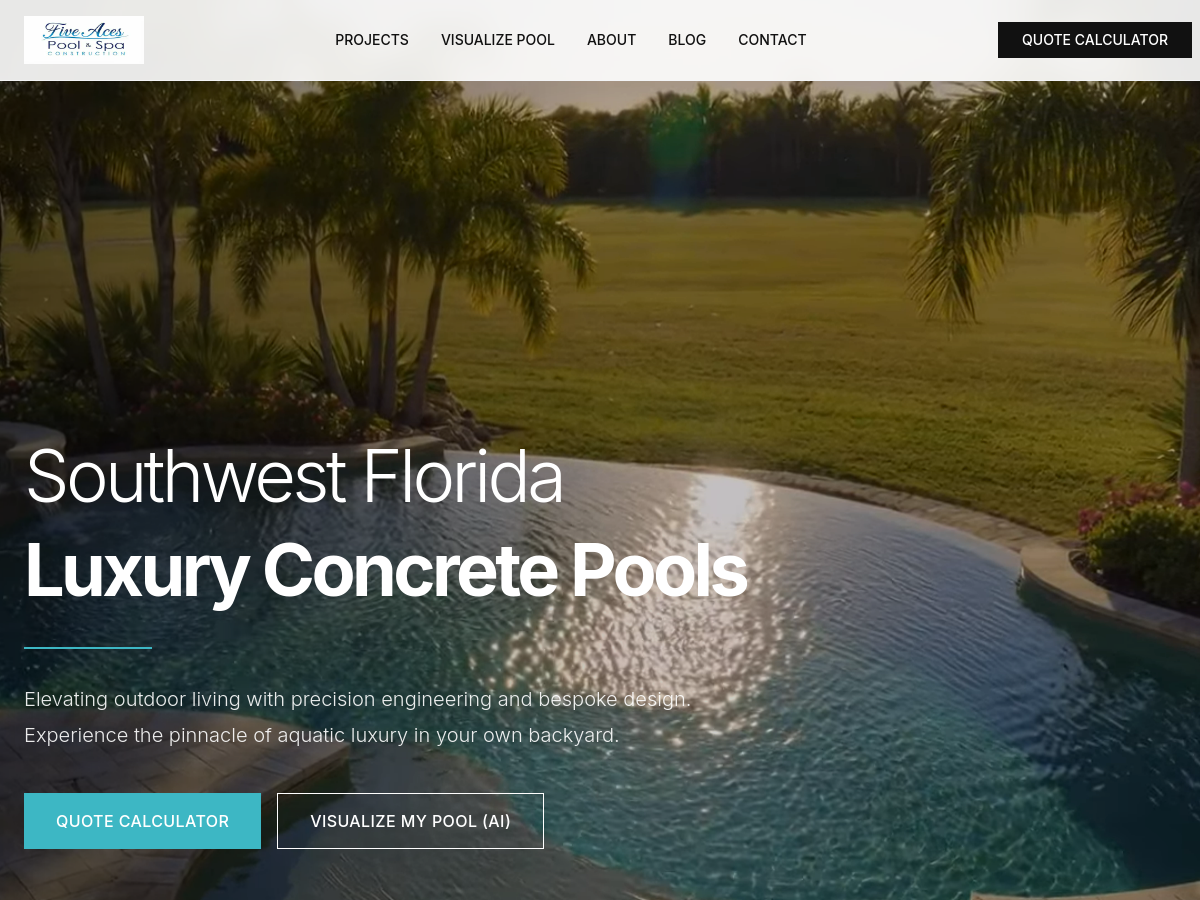
FL Pool Builder website showing a completed swimming pool. The real pool visualizer interface, where homeowners upload a backyard photo.
A backyard. A possibility.

AI visualization, preliminary estimates, and a custom CRM bring project details and qualifying answers into the sales conversation.

AI visualization, estimates & lead qualificationView project
03 / BILINGUAL BUSINESS WEBSITE

PennySmart
Group.

PennySmart Group’s English bookkeeping service page. The Spanish version of PennySmart Group’s website.
Two languages. One business.

Dedicated tax, bookkeeping, and notary service pages help clients find the right information and contact path in English or Spanish.

English & Spanish service journeysView project
04 / NONPROFIT WEBSITE

CAFSI.

CAFSI’s homepage with its family photograph and paths to get help or support the mission. An enlarged detail of CAFSI’s mission statement from the website.
A mission with a clear way forward.

Distinct paths help families explore support services and give volunteers, partners, and supporters a clear way to get involved.

Separate paths for families & supportersView project
There’s more to explore.View all projects
THE PEOPLE BEHIND THE WORK
Claudio Bisanti, founder of Bisanti Agency.
Claudio BisantiFounder · Design & development

Built with care.
By people who
know the work.

Bisanti brings design and development together, with a practical understanding of the business behind each project.

The agency carries the name of its founder, Claudio Bisanti, who leads design and development—from the first creative decisions to the working solution.

Meet Bisanti
OUR PRODUCTS / BUILT BY BISANTI

Built here.
Made for your everyday work.

Alongside client projects, we build products around recurring business needs.

texo

Your brand knowledge.
A content rhythm.

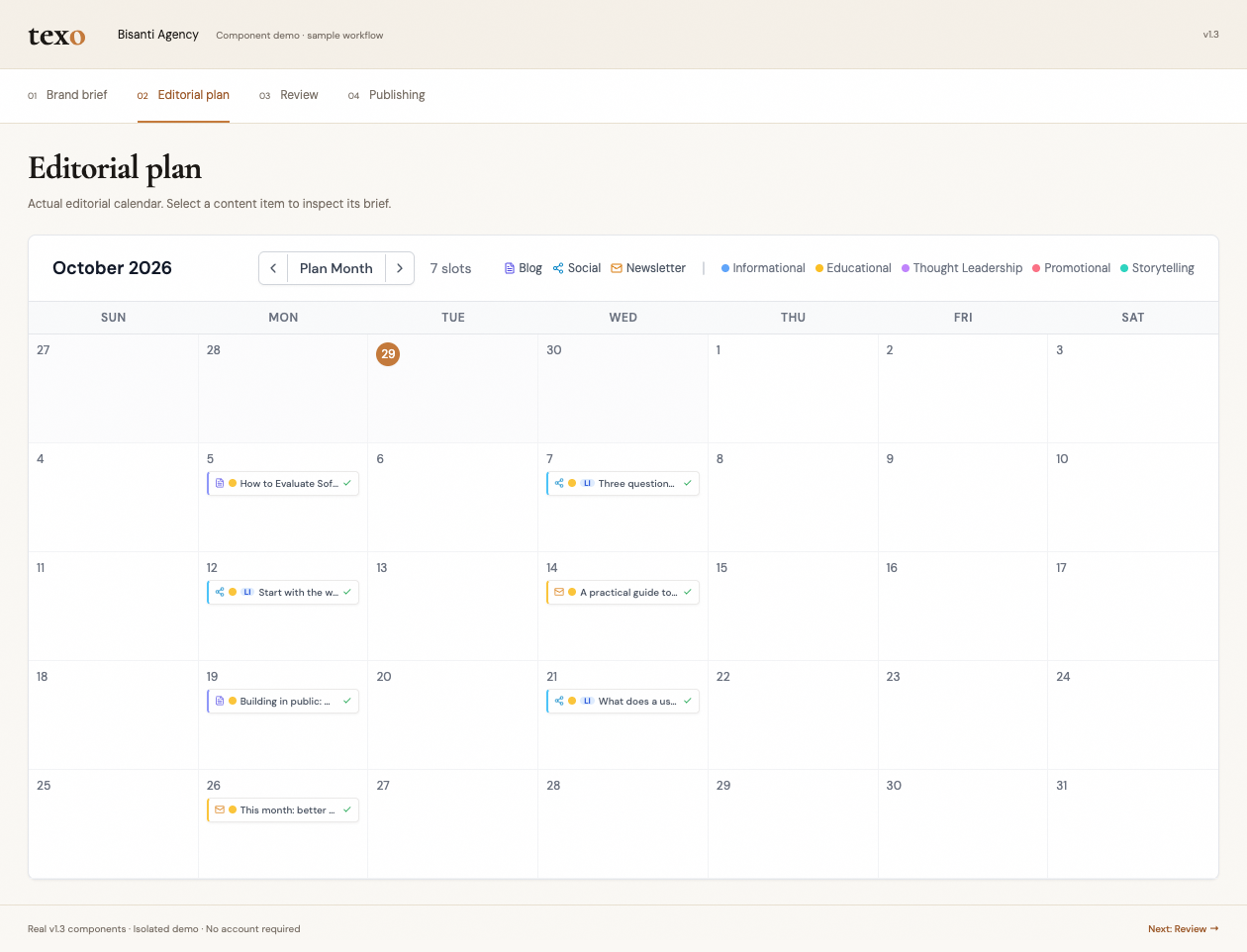
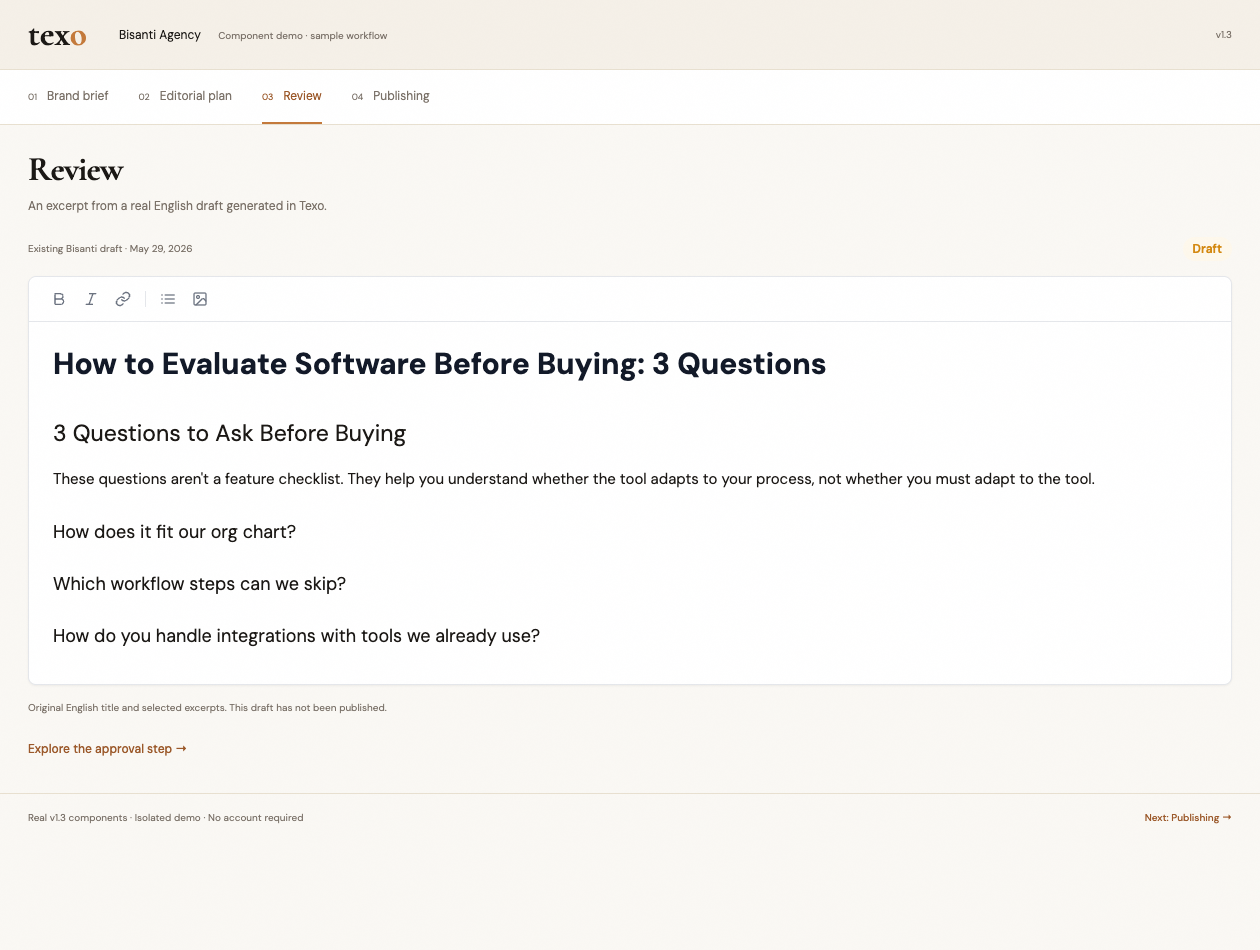
Texo’s editorial calendar rendered from v1.3 product components with demonstration content. Texo’s content review interface rendered with demonstration data.
Real product components · Demonstration content

Bring your brand context, editorial plans, drafts, and publishing into one connected workflow.

Brand context → Plan → Create → PublishExplore Texo

Intakely.

A better beginning
for every inquiry.

THE FIRST QUESTIONS

What are you
working on?

Your project
A website redesign
Your main goal
More qualified inquiries
Your timeline
Let’s discuss the scope first
READY FOR YOUR TEAM

A clearer
starting point.

Website redesign
Goal: qualified inquiries

Next conversation
Scope, budget & timing

Illustrative workflow · Sample details

Collect the right details, review incoming requests, and prepare the next step with the client’s needs in view.

Explore Intakely
YOUR NEXT PROJECT STARTS WITH A CONVERSATION

What’s next for
your business?

A new idea, a website that needs a rethink, or a process that slows you down. Tell us where you want to go.

You don’t need a finished brief to get started.